
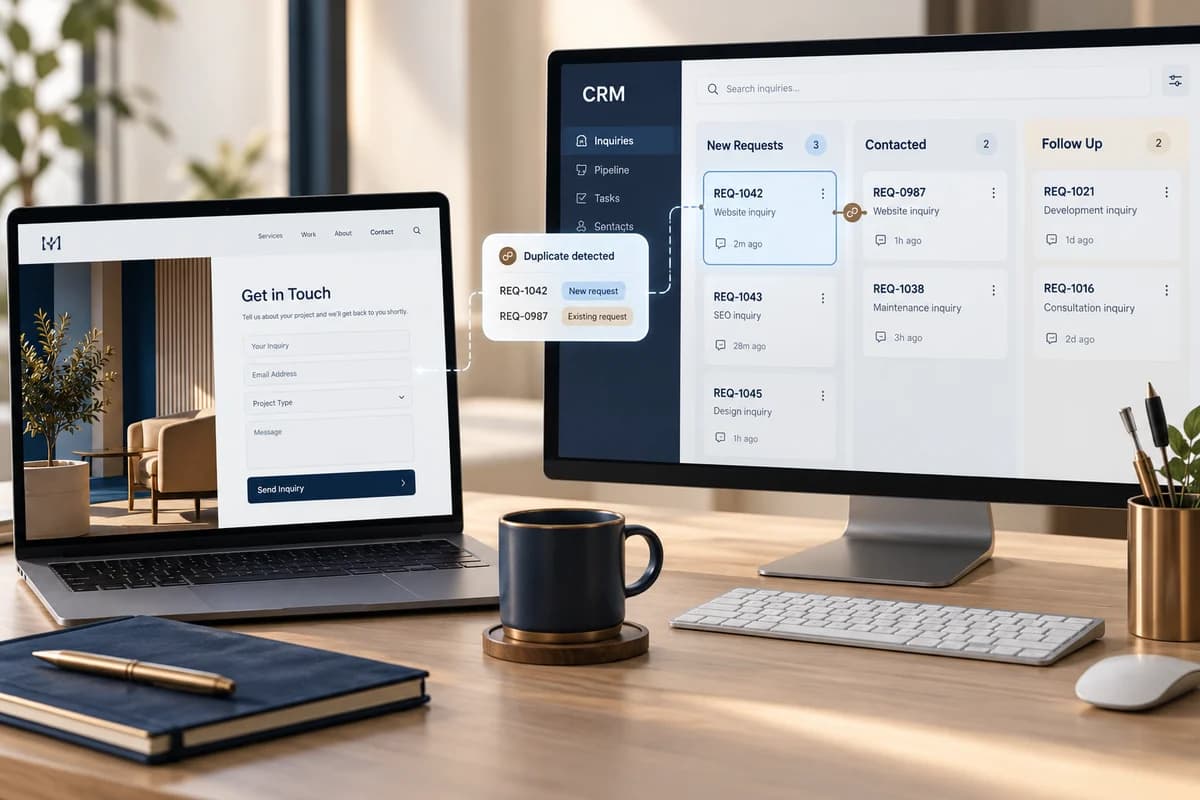
A successful inquiry is stored and owned
Design the path so the server validates a form, creates one traceable record, and sends it to the CRM with service, language, traffic source, and the next owner. Show success after the system accepts the inquiry, not when someone merely clicks the button. Decide what happens if the CRM is unavailable or a submission is retried so that a request is neither lost nor duplicated.
A hypothetical service-team workflow
Imagine an Arabic and English form that asks for a name, contact method, service, and short message. After acceptance, the system stores a random internal submission ID, language, service, campaign source, and timestamp. An integration sends the record to the CRM and assigns a service owner. The owner marks it as being followed up; after review, they record qualified or disqualified, then close it as an opportunity or note why it did not proceed. This illustrates a workflow; it sets no conversion rate or universal response deadline.
| Stage | Record the event | Owner or recovery | Do not assume |
|---|---|---|---|
| Form submission | Server validation succeeds and returns a unique submission ID | Website; explain a rejection clearly | A button click means an inquiry was stored |
| CRM creation | Necessary fields, language, service, source, and received time | CRM connector; log a retryable failure | CRM synchronization never fails |
| Duplicate protection | The same submission ID on a retry | Integration; update the existing record | A double click or network retry is a new buyer |
| Assignment | Owner and initial state | Sales lead; review unassigned inquiries | Having a CRM means someone received the lead |
| Follow-up outcome | Contacted, qualified, disqualified, or closed with reason | Sales team using a written definition | Every form submission is an opportunity or revenue |
Keep customer records separate from analytics
You can use GA4’s recommended generate_lead event after the form is successfully accepted, then suitable status events if the team records those outcomes. Google says recommended event names are not sent automatically and describes lead generation events. Do not send a name, phone number, email, or message text to Analytics; Google prohibits sending personally identifiable information and explains how to avoid it. Use a non-identifying measurement event and keep contact details in the authorized system.
Test failures before relying on the integration
- Submit valid and incomplete forms; confirm the error explains recovery and keeps useful input.
- Retry after a connection interruption and verify that the ID prevents a duplicate record.
- In an isolated test environment, interrupt the CRM: does the system retain and retry the inquiry, or explain that submission failed?
- Create an unassigned record and confirm it appears in a review queue with an owner.
- Inspect page URLs, campaign parameters, and analytics fields so they do not contain email or phone values.
- Agree on a follow-up window the team can support; do not publish a response promise it has not approved.
An integration cannot fix a vague definition of a qualified inquiry or overly broad access. Document field ownership, access roles, and retention according to the requirements that apply to your business. For analytics context, see GA4 lead tracking and Google Ads conversion tracking. Scope the form, integration, and success path in business website development.
Apply this to your project?
Discuss your needs and current constraints so we can define the right next step and scope.